Google Photos
Helping people protect a lifetime of photos.
Business impact Google Photos had historically been unprofitable and implemented a monetary strategy through Storage plans.
User impact Being out of storage prevented users from completing many tasks on Photos. In frequency use-cases, users are left confused by the friction and no clear reasoning as to why storage affected them.
Focus on users.
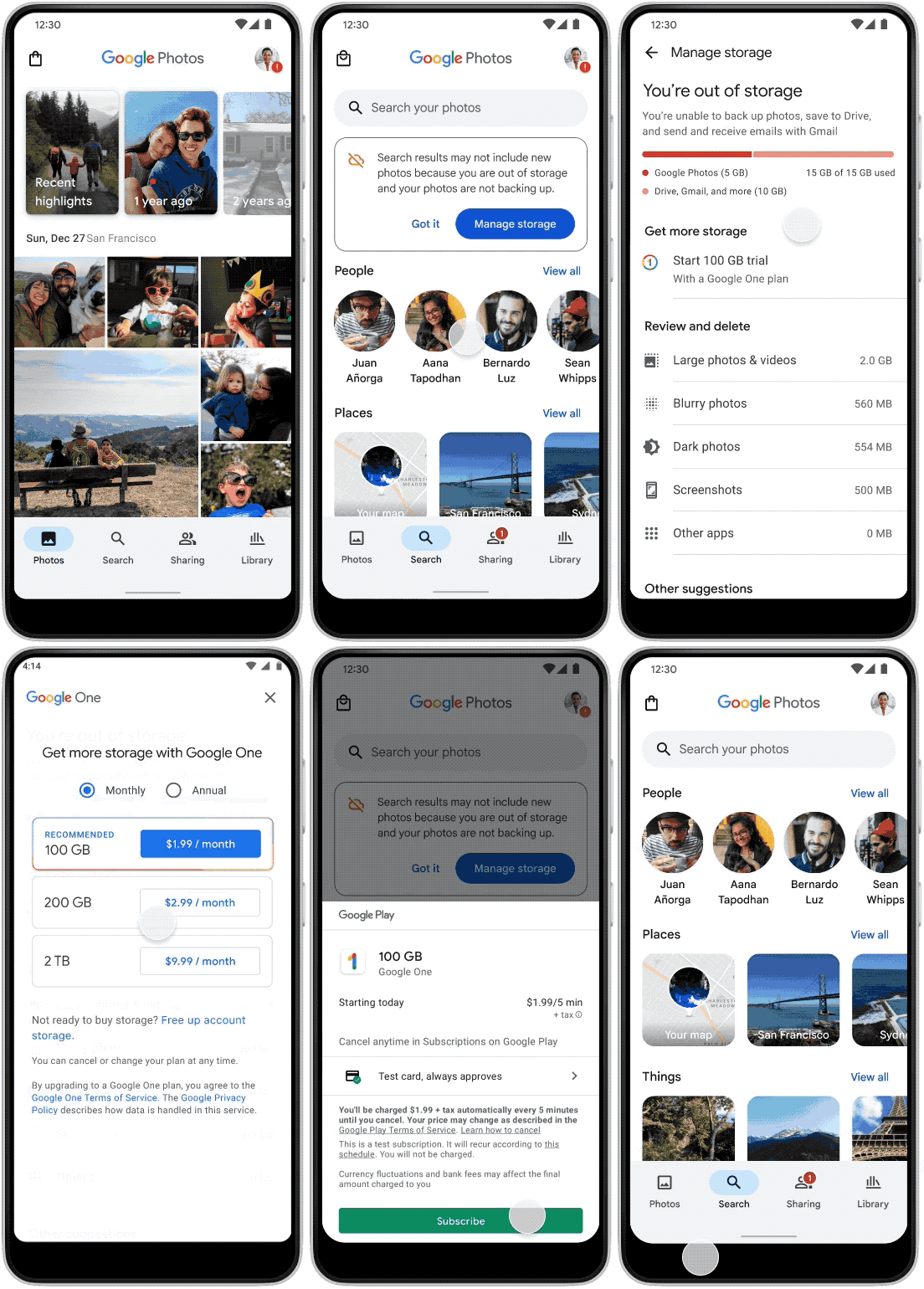
Anyone with a meaningful number of photos that aren't backed up.

First-time interacting using Photos as a default gallery or third-party app.

Used Photos in the past, reinstalled the app or is on a new device with same content backed up.

Complete the task and discover how else Google Photos can be helpful.
Nostalgia within Memories.
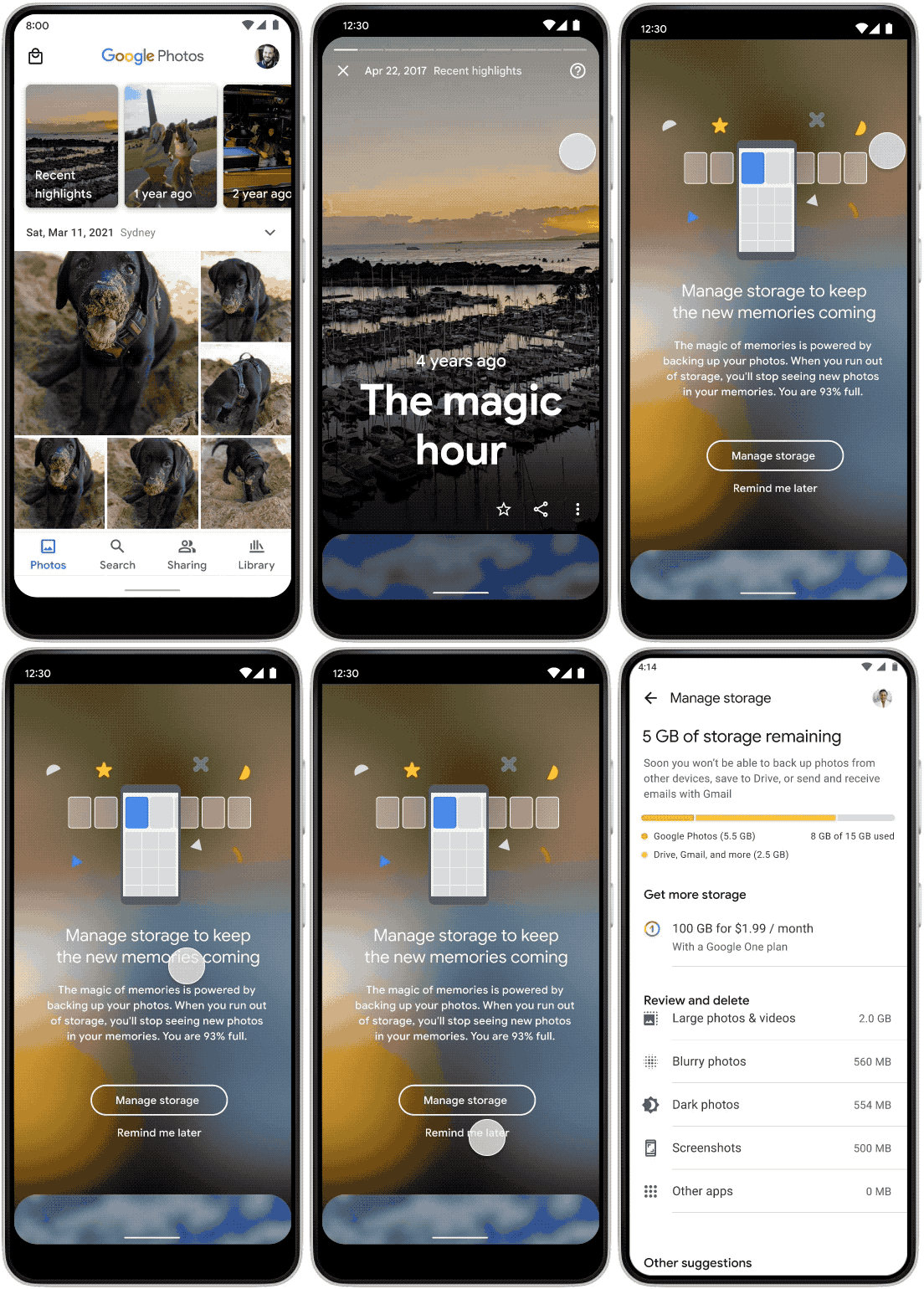
Users generally understood newly generated memories required storage.
However, 50% assume that the upsell blocked users from viewing memories in general. In attention, there was a lack of education of how to manage their storage.
Memories live at the highest-value moments in the product — inside the Recent highlights carousel at the top of the home feed, in “one year ago” and “two years ago” cards, and through push notifications timed to anniversaries. Each one is an upsell surface, and each one is a chance to teach the storage relationship behind it.
Reminders carry more weight when paired with nostalgia. A notification anchored to a familiar face or a recurring moment reframes the upsell from a transactional ask into a personal one — and gives users a clearer reason to act before the next memory generates.
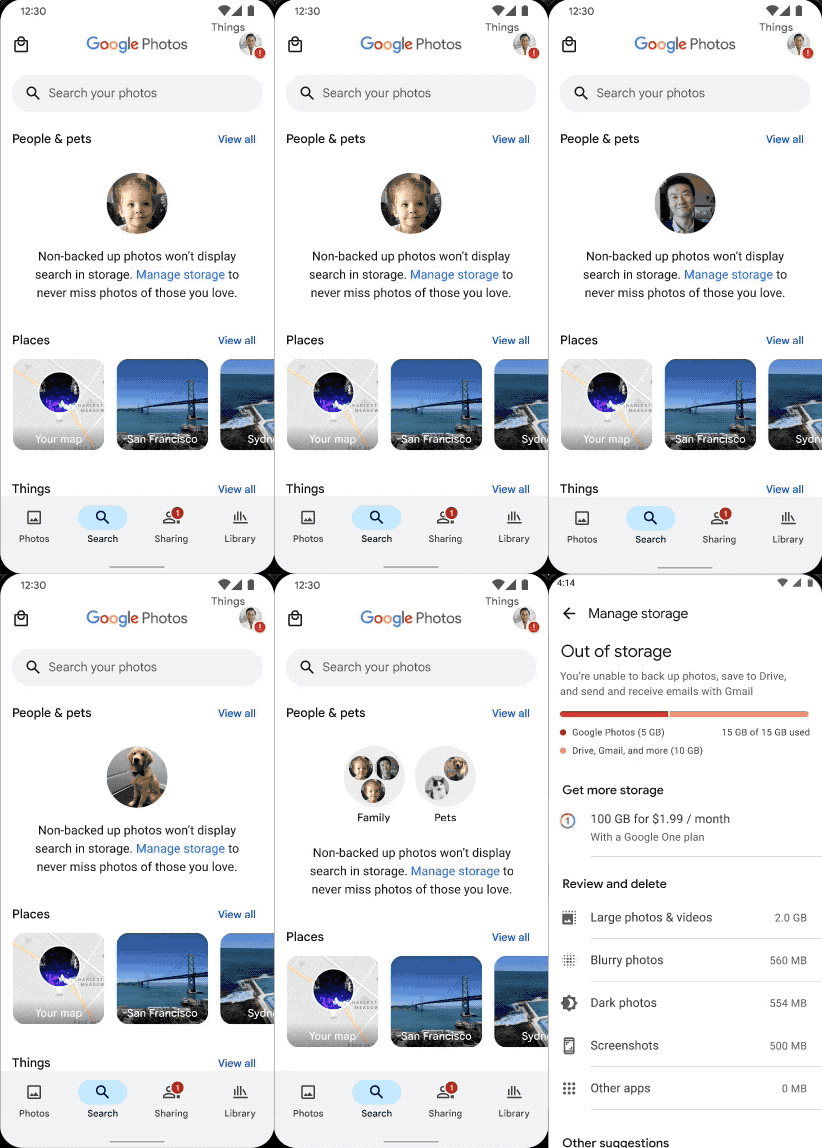
Machine learning for face grouping in search.
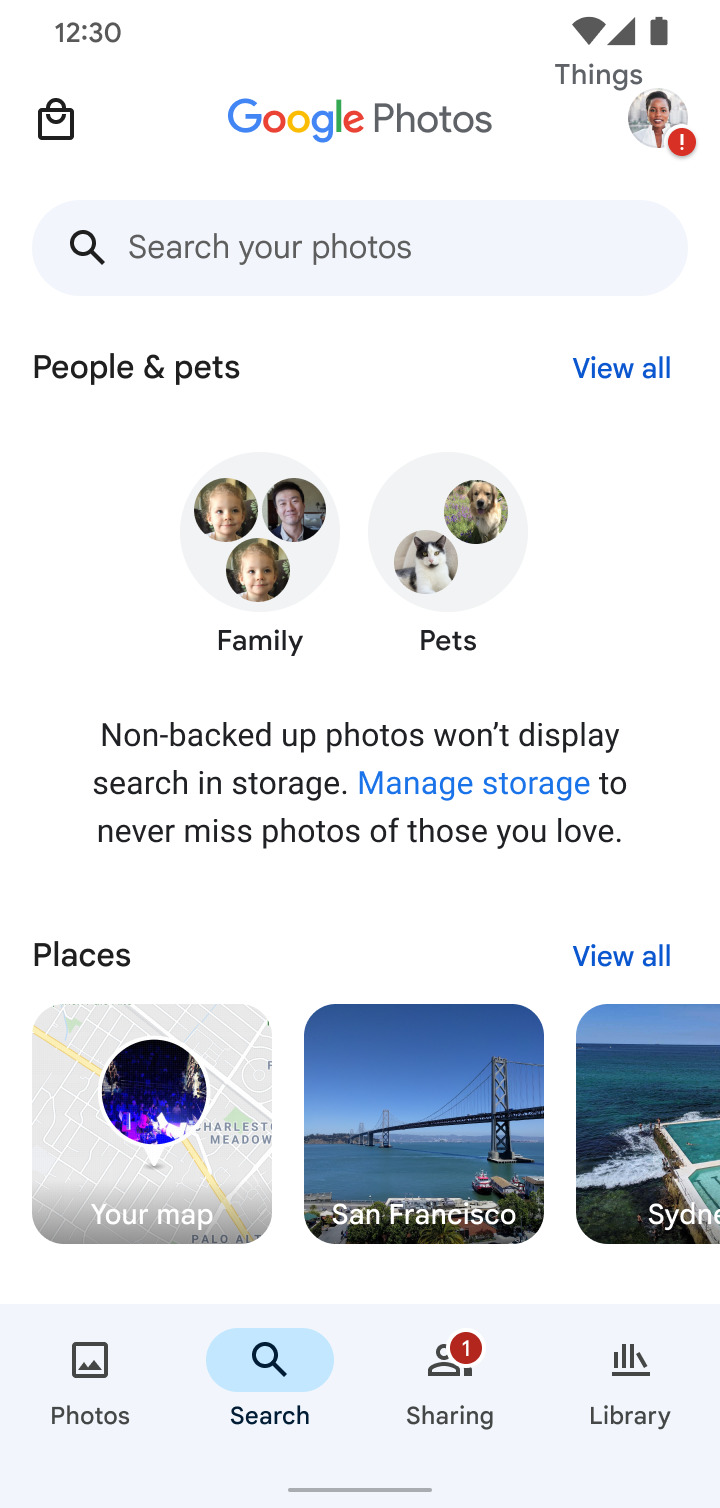
Tooltip in the Photo Grid.
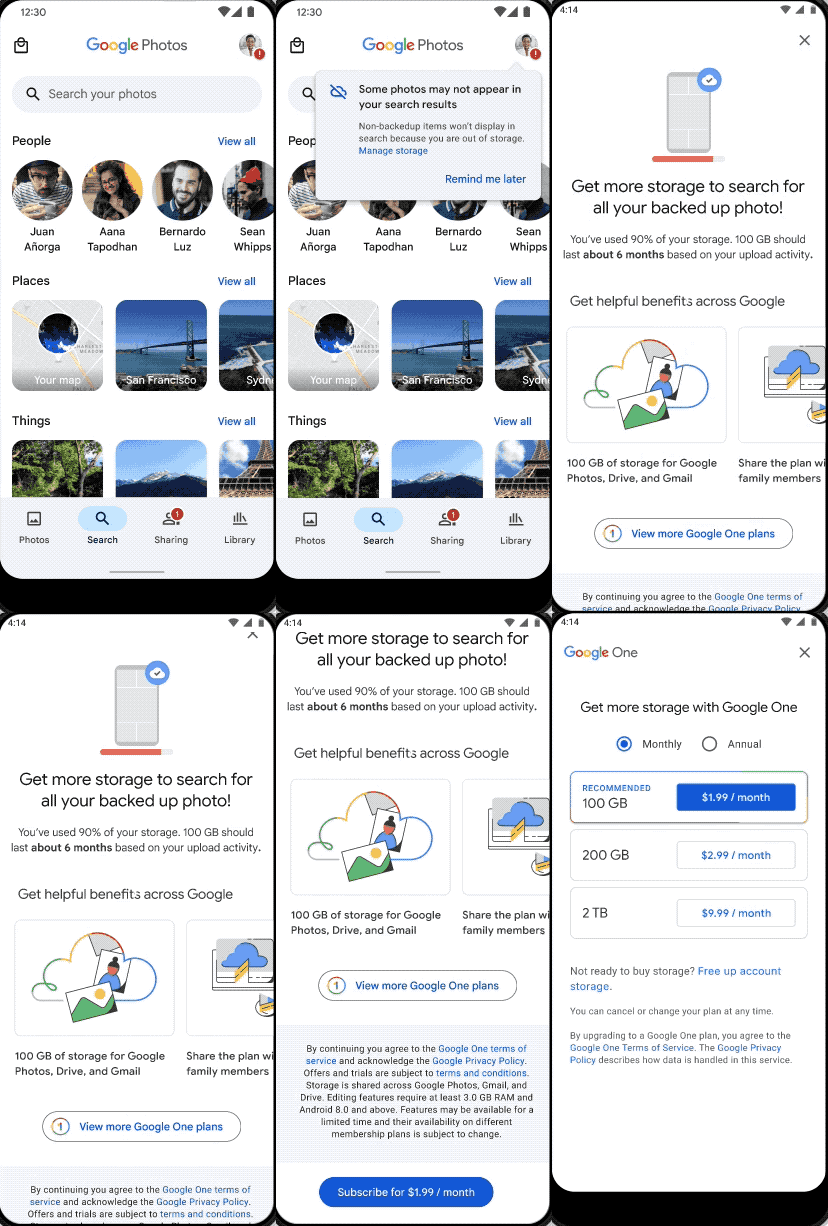
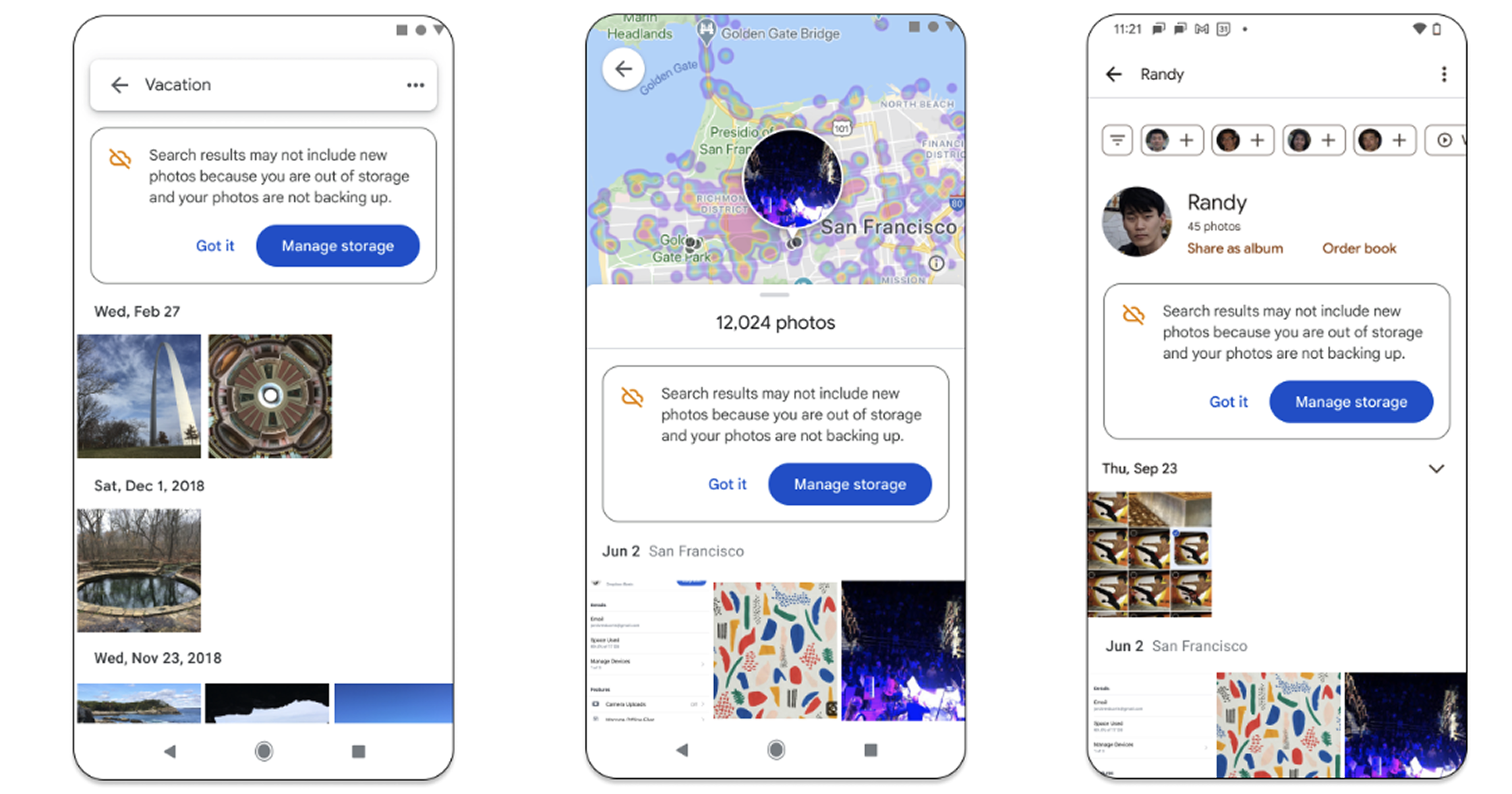
Scaling design principle across surfaces.
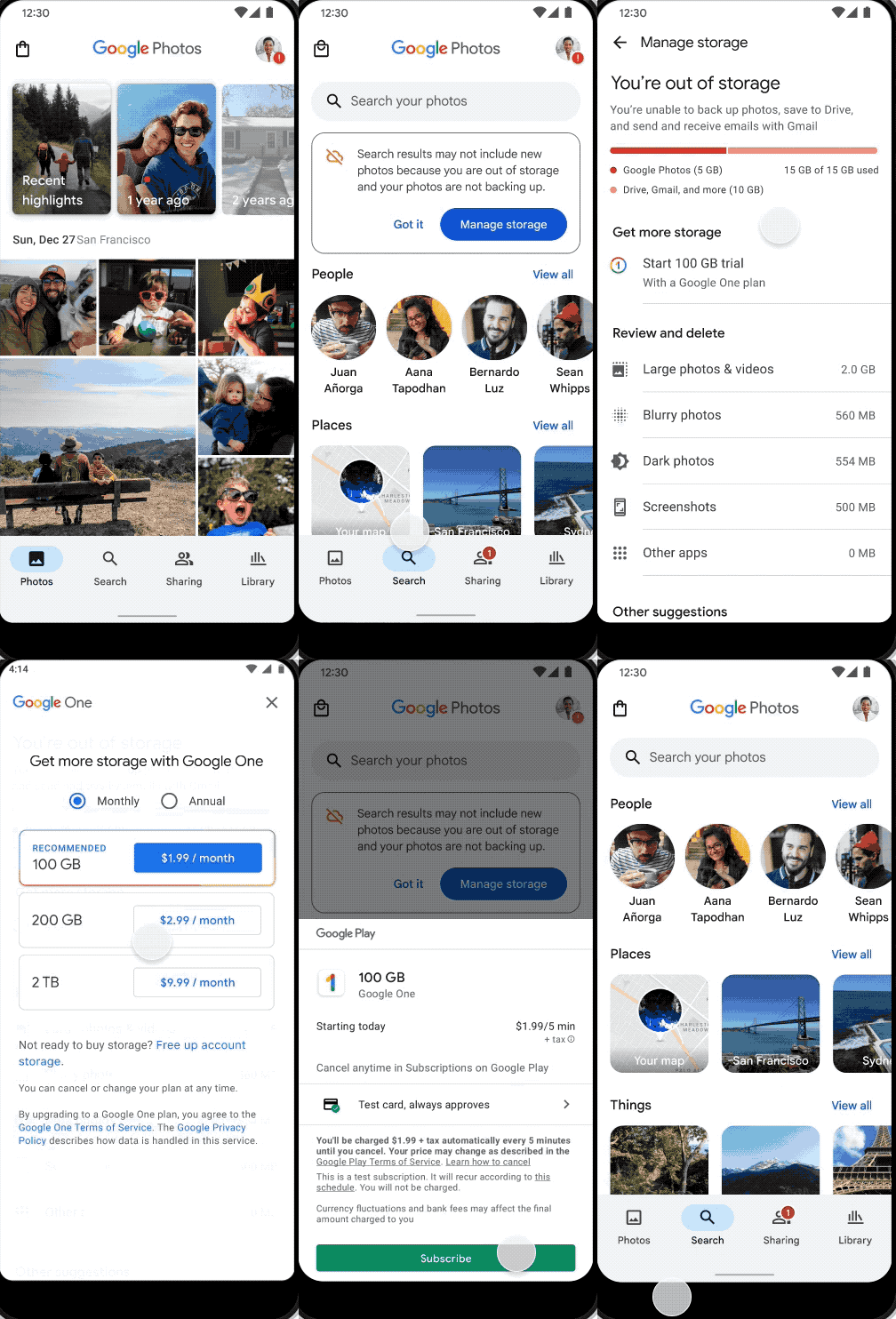
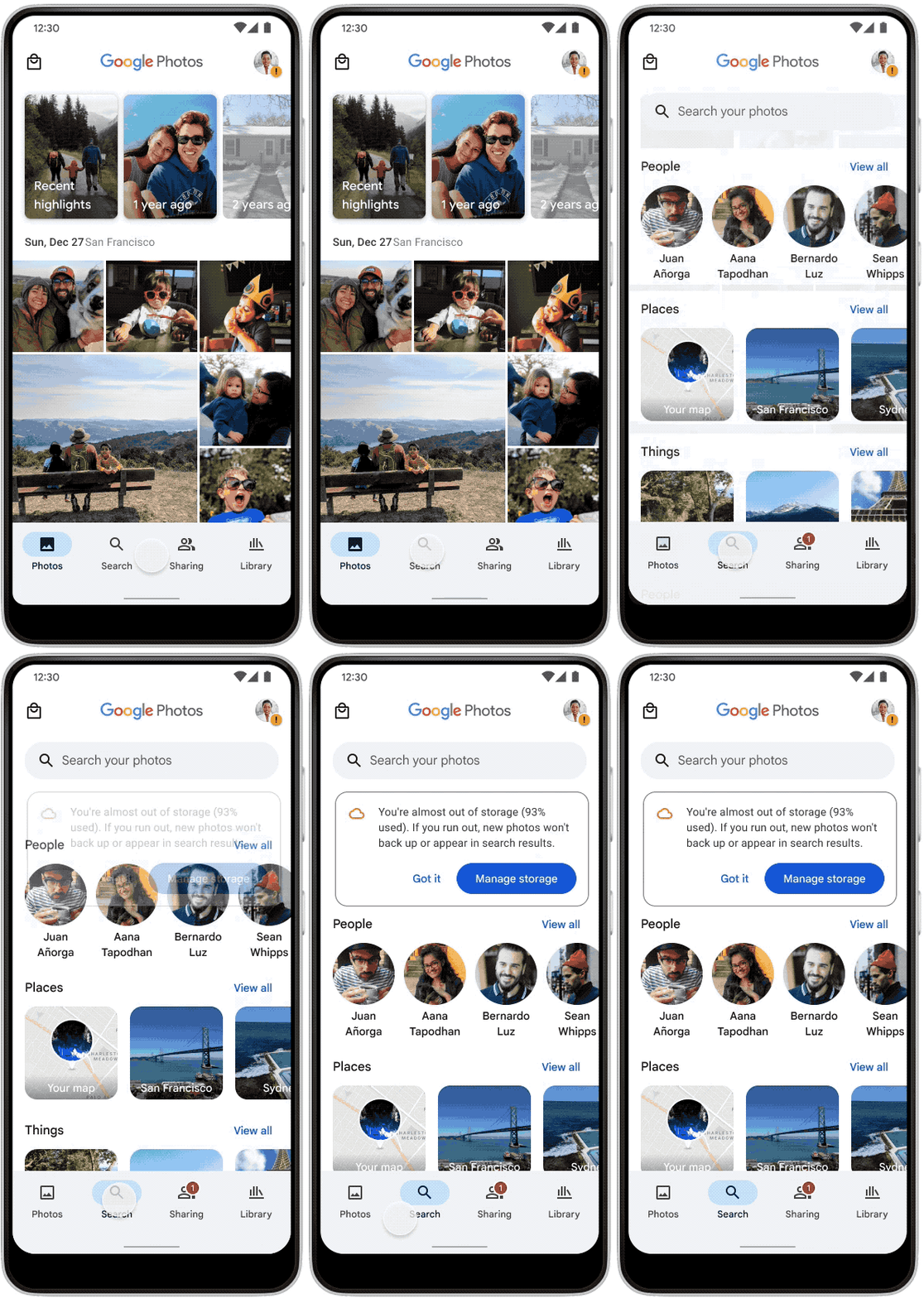
Utilizing motion for accessibility.
Considerations
Keep motion design to less than a third of the page, and the animation at the point of focus.
Keep the duration short and the movement reasonable.
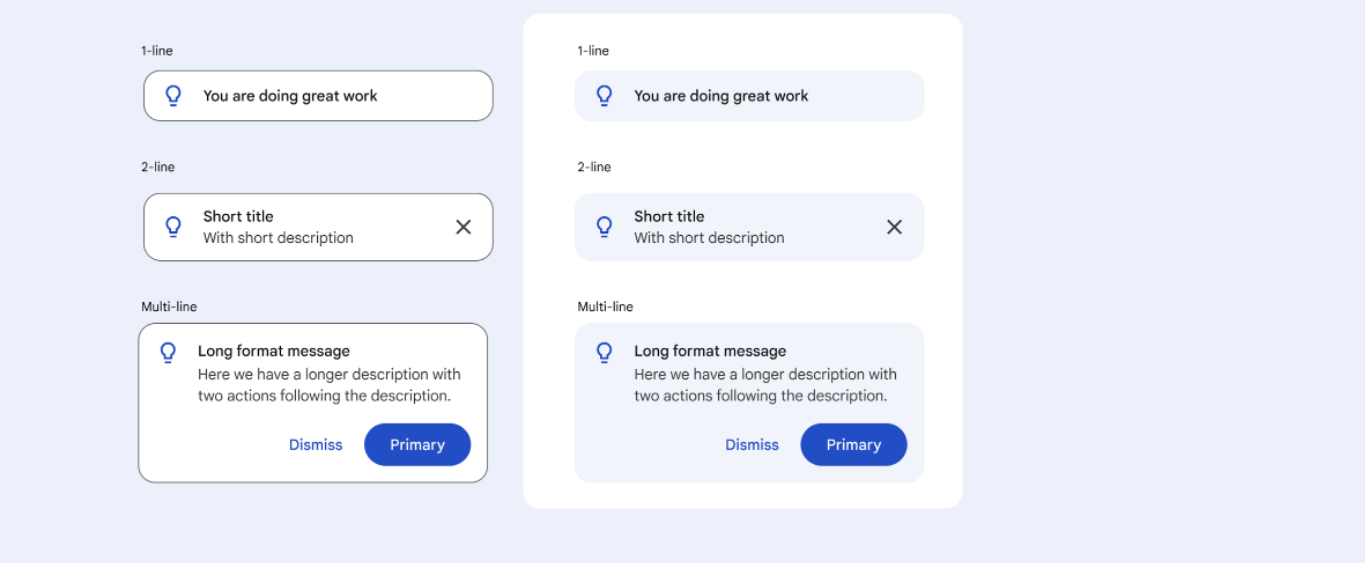
Design System Component and Tonal Style.